

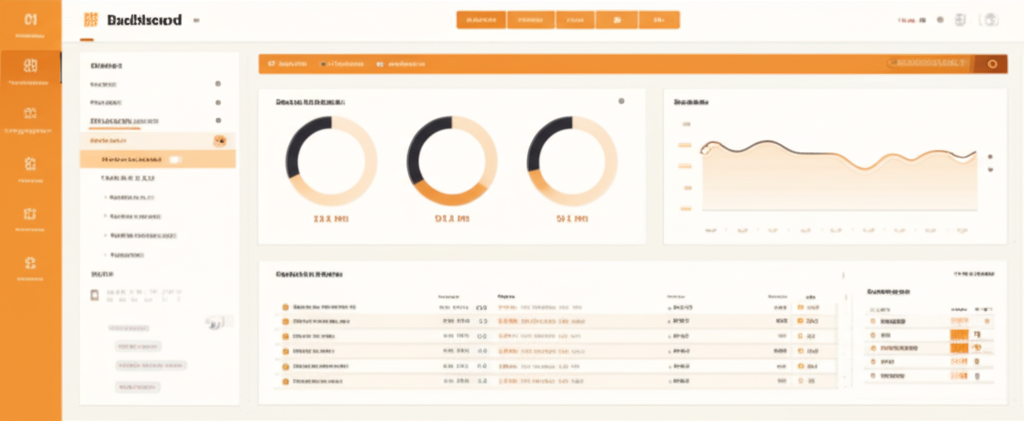
Saffron Exchange Admin Panel: Who This Is For
You arrived here searching for “saffron exchange admin” or similar. Depending on who you are, you want one of two different things. This page sorts both out in 30 seconds.
If You Are a Regular Player
The Saffron Exchange admin panel is not where you log in to place bets. Admin is for operators only. If you just want to bet on cricket, casino, or sports, you need a player Saffron Exchange ID, not admin access.
We create player IDs in under 2 minutes on WhatsApp. No forms, no admin access needed on your side.
Already a player trying to log in? The login URL comes with your ID via WhatsApp. Check your chat history. If you have lost it, visit our Saffron Exchange login help page or message us for a password reset. You can also read our full platform review to understand the player dashboard better.
If You Are an Agent, Sub-Admin, or Master
You want access to an admin panel so you can create and manage your own set of player IDs, handle their deposits and withdrawals, and earn commission on the volume. We set up authorised admin panels for agents and masters. Same WhatsApp channel, but the conversation goes a different way.
Message us saying you want to become a Saffron Exchange authorised agent. Share a rough idea of the customer base you expect (5, 50, or 500 players). We set up your admin panel, walk you through the commission structure, and onboard you.
What the Saffron Exchange Admin Panel Controls
For context, the admin panel is the backend management system used by authorised ID providers and masters. It is entirely separate from the player dashboard.
- Create and manage player accounts under your hierarchy
- Process deposit requests and verify payments
- Approve and process withdrawal requests
- Monitor betting activity across your assigned accounts
- Set account limits (deposit caps, withdrawal limits)
- View P&L reports across the players you manage
- Manage bonuses and promotional credits for your players
Regular users do not have admin access and do not need it. Your player Saffron Exchange ID gives you full access to betting: sports, casino, deposits, withdrawals. All through the standard dashboard. No admin needed.
Player Dashboard vs Admin Panel
| Function | Player Dashboard | Admin Panel |
|---|---|---|
| Who accesses | All registered players | Platform operators and authorised agents |
| Place bets on sports or casino | Yes | No (admin does not bet) |
| Deposit and withdraw own funds | Yes | No |
| Create other users | No | Yes, assigned hierarchy |
| Approve withdrawals for others | No | Yes, within limit |
| View P&L reports | Personal only | Across assigned book |
Why Not Just Use the Real Saffron Exchange Admin?
If you already have admin credentials from Saffron Exchange directly, keep using those. This page is for two specific audiences: players who mistyped “admin” instead of “id” and agents who want to start their own sub-operation. If neither fits, you can close this page.
For agents who want to set up a commission stream: the advantage of going through us is onboarding speed and ongoing support. Setting up directly can take days and involves paperwork. Through us, you get the admin panel in 24 to 48 hours, plus a WhatsApp support line for any issue.
Next Steps
Want to play: register for a player ID or try our free demo. Already registered: login help. Deposit question: deposit via WhatsApp. Want commission as an agent: message us on WhatsApp. Full platform breakdown: Saffron Exchange review. Saffron Exchange Exchange overview
How the Saffron Exchange Admin Panel Is Structured
The admin layer on Saffron Exchange runs in tiers. The master admin sits at the top and has full platform access. Below that, super admins manage geographic regions or specific player verticals. Below them, sub-admins (sometimes called agent admins) handle individual player groups, typically 50 to 500 players each. Players themselves use the standard exchange interface and never see the admin layer.
Each tier sees only its own scope. A sub-admin in the Mumbai cluster cannot see balances or activity for players in the Delhi cluster, even though both report to the same super admin. This is intentional and prevents cross-cluster data leakage.
Functions Available in the Admin Panel
The admin panel handles five main workflows. Each one shows up as a top-level menu item.
- Player creation. Add a new player ID, set username, generate temporary password, link to a parent admin, set initial credit limit. End-to-end takes about 30 seconds per player.
- Deposit processing. Pending deposit requests show up in real time. Admin verifies the payment screenshot, matches it to a UPI or bank transfer record, clicks approve. Player balance updates instantly.
- Withdrawal processing. Pending withdrawal requests show with player ID, amount, payment method requested, and account history. Admin reviews quickly and approves. The platform handles the actual money movement.
- Reporting. Daily P&L by market, weekly summaries, monthly settlements, year-to-date views. Filterable by player, sub-admin, market category. Export to CSV.
- Account management. Reset passwords, freeze suspicious accounts, escalate disputes to master admin, send platform-wide notices to player groups.
Commercial Terms for Saffron Exchange Sub-Admins
Sub-admins typically operate on a commission-share model. The platform retains a fixed cut of net player losses across the sub-admin’s player pool, and the sub-admin keeps the rest. Specific percentages depend on the volume tier. Higher player turnover unlocks better commission shares. New sub-admins usually start at the entry tier and progress as their pool grows.
Settlement happens weekly. The platform calculates net player losses (or wins) for each sub-admin’s pool, applies the agreed commission split, and transfers the sub-admin’s share via UPI or bank transfer. Most sub-admins receive payouts on Tuesday for the previous Monday-to-Sunday window.
How Sub-Admins Onboard Players
Sub-admins use the WhatsApp signup flow on behalf of their network. They share their dedicated WhatsApp number with potential players, manage the deposit collection, create the account in the admin panel, and pass credentials back. The player experience looks identical to going direct to the central support channel, except the WhatsApp number is different.
The benefit for the player is local trust. If you know your sub-admin personally, you have a real person to call if something goes wrong, rather than a generic support queue. The benefit for the sub-admin is the recurring commission revenue.
Master Admin and Platform Operations
Master admin sits above the sub-admin layer and runs the platform itself. Master admin handles tasks that cross sub-admin boundaries: chargeback investigations, large dispute resolution, platform-wide promotions, sub-admin onboarding and offboarding, regulatory compliance, and platform technology decisions.
Master admin contact is reserved for sub-admin escalations. Players who reach out to the central WhatsApp number get routed to customer support, not master admin. This separation keeps the master admin team focused on platform-level work rather than day-to-day player questions.
Frequently Asked Questions about Saffron Exchange
What does the Saffron Exchange admin do?
The admin manages user accounts, processes deposits and withdrawals, monitors platform activity, and resolves account-level disputes. Admin access is structured into tiers, with master admin handling the platform itself and sub-admins handling individual user pools.
Is the Saffron Exchange admin panel for regular players?
No. The admin panel is for partners and sub-admins who manage groups of player accounts. Regular players use the standard Saffron Exchange ID and the player-facing platform. If you are looking for a player ID, use the WhatsApp signup process.
How do I become a Saffron Exchange admin or sub-admin?
Sub-admin onboarding is by application only. You contact the master admin team through the partner channel, share your existing player network, agree to commercial terms, and go through a short verification process. Approved partners get admin panel credentials within 48 hours.
Can the admin see my password or balance?
Admins see balance for the players they manage but not your password. Passwords are hashed in the database and not visible in plain text in any panel. Admins can reset passwords if you ask, but cannot view what your current password is.
What is the difference between admin and customer support?
Admin handles structural account changes, account creation flows, and partner-side reporting. Customer support handles day-to-day questions like deposit confirmations, withdrawal status, password resets, and platform usage. Most player issues are customer support, not admin.
How do admins process player deposits and withdrawals?
Admins receive a notification when a player requests a deposit or withdrawal. Deposits get verified against payment screenshots and crediting is one-click in the panel. Withdrawals get reviewed against play history (no minimum-rollover restriction on most accounts) and approved with a single click. Most withdrawals approve within 30 minutes.
What reports does the Saffron Exchange admin panel show?
Daily balance reports per player, P&L per market category (cricket, casino, slots), commission earned per sub-admin, top winners and losers, and platform health metrics. Reports export to CSV for partner accounting.
Is there an admin app for mobile?
The admin panel is responsive and works on mobile browsers. There is no separate Android app for admin specifically. Most sub-admins prefer desktop for the reporting and bulk operations, and use mobile only for quick approvals on the move.