

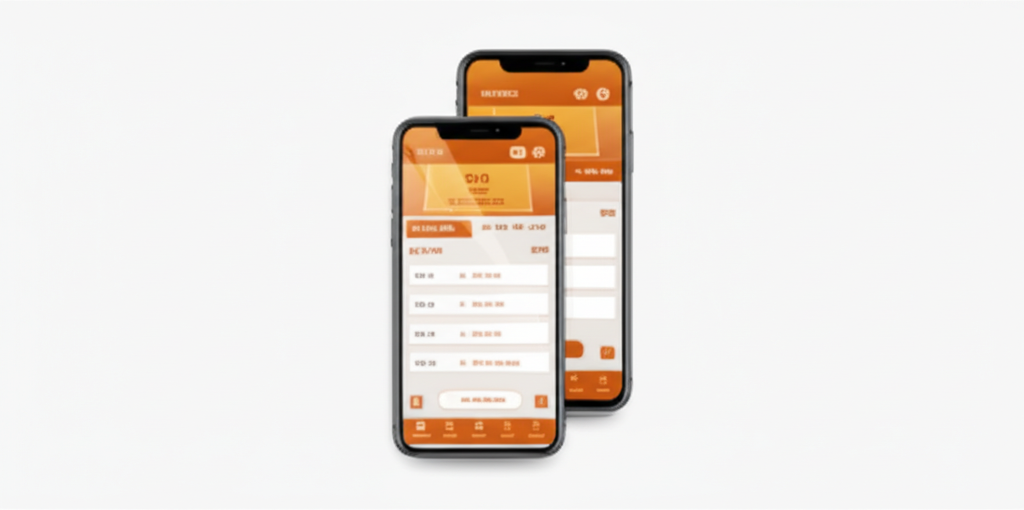
SaffronExch App: Download the APK for Android (And What iPhone Users Can Do)
You can get the SaffronExch app on your Android phone right now. No Play Store needed. Just an APK file, a quick install, and you’re betting on cricket, casino, and 24+ sports from your home screen. iPhone? There’s a workaround for that too.
Why Bother With the App?
Fair question. You can already use SaffronExch in your phone browser. It works. But the app is faster. Noticeably faster. Pages load quicker, live odds refresh without that half-second lag you sometimes get in Chrome, and you don’t have to type a URL every time you want to check a match.
There’s also the home screen shortcut. One tap and you’re in. No bookmarks to dig through, no accidentally closing your browser tab mid-bet (which is annoying). The app sits right there on your phone like any other app you use daily.
And if you’re someone who bets during live matches, speed actually matters. A one-second delay on live odds can mean the difference between catching a price and watching it slip away. The APK handles that better than mobile browsers do, in most cases.
You still get everything. Cricket exchange betting, live casino tables (Teen Patti, Andar Bahar, Baccarat), crash games, slots, lottery, fantasy. Same SaffronExch ID, same balance, same account. Nothing changes except how fast things feel.
How to Download the SaffronExch APK on Android
You won’t find SaffronExch on the Google Play Store. That’s normal for exchange platforms (Google has strict policies about betting apps). So you’ll install it as an APK, which takes about 2 minutes. Probably less if you’ve done it before.
Message Us on WhatsApp
Tap the green button on this page or message us here. Ask for the Saffron Exchange app download link. You’ll get a reply in under a minute (usually faster).
Allow Unknown Sources
Your phone may block the install since it’s not from the Play Store. Go to Settings > Security (or Apps & Notifications on some phones). Turn on “Install from Unknown Sources” for your browser or file manager. This is a one-time thing.
Download the APK
Open the link we send you. The APK file starts downloading. It’s small, around 12-15 MB. Won’t eat into your storage or take long even on a slow connection.
Install and Open
Tap the downloaded file. Hit “Install” when prompted. Once it’s done, open the app and log in with your SaffronExch credentials. If you don’t have an account yet, you can register here first.
That’s the whole process. Four steps, maybe 2 minutes total. We’ve helped thousands of players install this and the only place people sometimes get stuck is the “Unknown Sources” setting. If that happens to you, just message our support team on WhatsApp and they’ll walk you through it for your specific phone model.
What You Get Inside the App
Once you open the SaffronExch app, it looks pretty much like the website but feels smoother. Here’s what you can access from the main screen.
Sports Exchange
Cricket is front and center (obviously). But you also get football, tennis, basketball, kabaddi, table tennis, badminton, volleyball, boxing, MMA, snooker, golf, chess, and more. 24+ sports total. Back and lay betting on all of them. Live odds update in real-time during matches.
Live Casino
Teen Patti (multiple variations), Andar Bahar, 29 Card Baccarat, Trio, Amar Akbar Anthony, Race 20, Lucky 7, Dus Ka Dum. Real dealers streaming live on your phone. Works surprisingly well even on 4G connections.
Crash Games and Slots
Crash games are great for quick sessions between matches. Watch the multiplier climb, cash out before it drops. Slots are there too if you want something low-effort. The app handles the animations without lag, which is better than what you’d get in a browser.
Deposits and Withdrawals
You can deposit using UPI (Google Pay, PhonePe, Paytm, BHIM) or bank transfer right from the app. Minimum deposit is Rs. 100. Withdrawals go through WhatsApp support and typically process within a few hours. Your balance updates instantly after deposits.
Everything connects to one account. Bet on IPL, switch to Teen Patti during the innings break, check your crash game history. No logging in and out, no separate wallets. One ID covers it all. You can get a free demo ID to try the platform without risking real money first (which is nice).
SaffronExch App vs Mobile Browser
You might be wondering if the app is really worth installing when the website already works on your phone. Honest answer? Both work. But there are differences that matter depending on how you bet.
| Feature | SaffronExch App | Mobile Browser |
|---|---|---|
| Load Speed | Faster, especially for live markets | Slightly slower on first load |
| Home Screen Access | One tap to open | Need to open browser, then navigate |
| Live Odds Refresh | Near instant | May lag by 0.5-1 second |
| Push Notifications | Yes, match alerts and promos | Not available |
| Storage Used | ~12-15 MB | Zero (runs in browser) |
| Auto Login | Stays logged in | May require re-login after clearing cache |
| Casino Streams | Slightly smoother playback | Works but can buffer occasionally |
| Updates | Manual APK update occasionally | Always latest version automatically |
If you bet once a week, the browser is probably fine. But if you’re placing live bets during IPL matches or playing casino games regularly, the app makes a real difference. That extra half-second on live odds matters when you’re trying to lock in a price before it moves.
One thing to know: you can use both. Your SaffronExch ID works across the app, phone browser, and desktop. Same credentials everywhere. So there’s no downside to having the app installed even if you sometimes use the browser too.
iPhone Users: The Add to Home Screen Workaround
Here’s the reality. There’s no SaffronExch iOS app on the App Store. Apple has the same restrictions as Google when it comes to betting apps in India (maybe stricter). So you can’t download an APK or a native app for iPhone.
But there’s a workaround that gets you pretty close. Safari lets you add any website to your home screen as a web app. It looks like a regular app icon, opens without the browser bar, and even stays logged in. Not quite as fast as a native app, but it’s a solid option.
How to Add SaffronExch to Your iPhone Home Screen
Open Safari
Go to the SaffronExch website in Safari. Has to be Safari, not Chrome or another browser. Apple only allows this feature in their own browser.
Tap the Share Button
That’s the square icon with an arrow pointing up. You’ll find it at the bottom of your screen (or top, depending on your iOS version).
Select “Add to Home Screen”
Scroll down in the share menu until you see this option. Tap it. You can rename the shortcut if you want, or just leave it as is.
Tap “Add”
Done. SaffronExch now sits on your home screen like any other app. Tap it to open directly into the platform without any browser address bars.
This works on all iPhones running iOS 14 or later (so basically anything from iPhone 8 onwards). You won’t get push notifications this way, but you can still bet on cricket, play casino games, deposit, withdraw, and do everything else. The experience is close to what Android users get with the APK.
App Permissions and Safety
People sometimes worry about APK files. Fair enough. Here’s what the SaffronExch app actually asks for and why.
What the App Requests
- Internet Access: Obviously. Can’t load odds or stream live dealers without it
- Storage (sometimes): To save the APK during download. Some phones ask for this, some don’t
- Notifications: For match alerts and promo updates. You can deny this if you prefer
What the App Does NOT Request
- Contacts: Never asks to read your phone contacts
- Camera or Microphone: Not needed, not requested
- Location: Doesn’t track where you are
- SMS: No access to your messages
The APK is safe. We send it directly through WhatsApp, so you know exactly where it came from. It uses SSL encryption for all data transfers, same as the website. Your login credentials, payment info, and betting history are all encrypted.
One tip though. Only download the APK from our official WhatsApp number. Don’t search for “SaffronExch APK” on random download sites. Those could be modified files with malware. If you’re ever unsure, just message us on WhatsApp and we’ll confirm.
Common Download and Install Issues (And How to Fix Them)
Most installs go smoothly. But sometimes you might hit a snag. Here are the most common problems and what to do about them.
“Install Blocked” or “App Not Installed”
This is the number one issue. Your phone is blocking the APK because it didn’t come from the Play Store. Fix: go to Settings > Security > enable “Install from Unknown Sources.” On newer Android phones (Android 8+), you may need to allow it specifically for your browser or WhatsApp. The exact menu path varies by brand, but it’s usually under Security or Privacy settings.
“Parse Error” During Install
This could mean the download got corrupted or your Android version is too old. Try downloading the APK again. If it keeps happening, check that your phone runs Android 5.0 or higher. Anything older than that probably won’t work, and honestly, those phones struggle with most modern apps anyway.
Download Keeps Failing
Weak internet connection, most likely. Switch to Wi-Fi if you’re on mobile data, or try again in a spot with better signal. The file is only about 12-15 MB so it shouldn’t take long on any decent connection. Some browsers also block APK downloads by default. If Chrome blocks it, try using Samsung Internet or the built-in browser that came with your phone.
App Crashes After Opening
Rare, but it can happen on phones with very low RAM (under 1.5 GB). Close other apps running in the background and try again. If that doesn’t work, clear the app’s cache (Settings > Apps > SaffronExch > Clear Cache). Still crashing? Message our customer care team with your phone model and Android version so they can help.
Can’t Find the Downloaded File
Check your Downloads folder. On most phones, open your file manager app and look under “Downloads.” If you downloaded through WhatsApp, the file might be in the WhatsApp folder instead (Internal Storage > WhatsApp > Media > WhatsApp Documents). Or just search for “saffron” in your file manager.
Minimum Requirements for the SaffronExch App
You don’t need a flagship phone. The app is lightweight and runs on most Android devices you’d find today.
| Requirement | Minimum | Recommended |
|---|---|---|
| Android Version | 5.0 (Lollipop) | 8.0 or higher |
| RAM | 1.5 GB | 3 GB or more |
| Storage Space | ~20 MB free | 50 MB+ for comfortable use |
| Internet | 3G (works but slow) | 4G or Wi-Fi |
| Screen Size | 4.5 inches | 5.5 inches or larger |
Budget phones like Redmi, Realme, Samsung M series, Poco, and Motorola G series all run the app without issues. We’ve had players use it on phones that cost under Rs. 8,000 and it works fine. The app was built to be light on resources because most of our users aren’t on premium flagships (and that’s completely fine).
Keeping the App Updated
Since the SaffronExch app isn’t on the Play Store, it won’t auto-update like your other apps. When a new version comes out, we’ll send a notification through WhatsApp or you can ask for the latest link anytime.
Updates are usually small and install over the existing app. You won’t lose your login or any data. Just download the new APK, install it (it’ll replace the old version), and you’re good.
How often do updates come out? Not that often. Maybe once every few weeks, sometimes less. Most updates are performance improvements or new game additions. Nothing you need to stress about. And if you skip an update or two, the older version keeps working. You might just miss out on some newer features.
Frequently Asked Questions About the SaffronExch App
Is the SaffronExch app free to download?
Yes, completely free. You don’t pay anything for the app itself. The only money involved is when you choose to deposit for betting or casino games (minimum Rs. 100).
Can I use the same ID on both the app and website?
Absolutely. Your SaffronExch ID works everywhere. App, phone browser, desktop. Same login, same balance. Whatever you do on the app shows up on the website and vice versa.
Why isn’t the SaffronExch app on the Google Play Store?
Google restricts real-money betting apps in India. It’s not a SaffronExch issue specifically. Most exchange platforms distribute their apps as APKs directly to users. The app is safe and works exactly the same.
Will the app drain my battery?
Not really. It uses about as much battery as Chrome would if you had the website open. Live casino streams use a bit more since they’re video, but for regular sports betting, battery drain is minimal.
Can I deposit and withdraw through the app?
Deposits work through UPI and bank transfer. You initiate them via WhatsApp or through the platform interface. Withdrawals also go through WhatsApp support. The process is identical to using the website. Check the bonus page if you want to know about welcome offers before your first deposit.
What if I lose my phone? Is my account safe?
Your account is tied to your credentials, not your device. Log in from any other phone, browser, or computer and everything is still there. Just make sure you remember your username and password. If you don’t, contact support on WhatsApp and they’ll help you recover access.
Does the app work on tablets?
Yes. Android tablets run the APK just fine. For iPads, use the same Safari “Add to Home Screen” method described above for iPhones. The interface scales well on larger screens.
How do I uninstall the SaffronExch app?
Same as any other app. Long press the icon on your home screen, tap “Uninstall” or drag to the trash. Your account and balance aren’t affected. You can reinstall anytime and log back in.
Related Pages on SaffronExch
Got the app installed? Or still figuring things out? These pages cover what you might need next.
- SaffronExch ID – Get your Saffron Exchange betting ID through WhatsApp
- Saffron Exchange Register – Full registration walkthrough with screenshots
- Saffron Exchange Login – How to log in and what to do if it’s not working
- Saffron Exchange Demo ID – Try the platform free before depositing real money
- Saffron Exchange Bonus – Welcome offers and ongoing promotions
- Saffron Exchange Customer Care – 24/7 WhatsApp support for any issues
- SaffronExch Review – Honest assessment of the platform from our experience